Master ophthalmology, from first year to finals.
For undergraduates and postgraduates — interactive apps, a clinical image bank, OSCE stations, and an 25,000-question viva bank. One place, one login, even offline.
One platform for the whole of ophthalmology
From first-year basics to DNB, MS, and FRCS finals — apps, images, OSCE stations, and question banks, added to continuously and built for undergraduates and postgraduates alike. The viva bank and apps are live today; the rest are rolling out.
Docnotes
One app for taking notes — useful for both undergraduate and postgraduate students.
Open → Available nowViva question bank
25,000+ exam-level questions with model answers across 15 specialties, with self-evaluation and topic search.
Open →Case simulator app
For case presentations and self-evaluation.
OSCE EXAM SIMULATOR
Structured OSCE practice modelled on real exam stations. Study at your own pace or run a full mock exam with timed tests and instant scoring
Open → Available nowTeaching videos
Curated lectures and demonstrations on the iSTREAM ophthalmology YouTube channel.
Watch on YouTube → Available nowNotes & resources
High-yield summaries, classifications, and quick-reference material for rapid revision.
Open →Practise the way you'll be examined
Pick a specialty and topic
Choose from 15 specialties, each split into its real exam topics.
Answer and reveal
Write your answer, then reveal the examiner's model answer to compare.
Evaluate and move on
Get a quick verdict on your recall, then advance through the set.
Turn any book into clean, cited notes
Read a PDF or textbook, capture the lines that matter, and build tidy notes you can keep — every quote carries its source and page. Works on your phone, even offline.
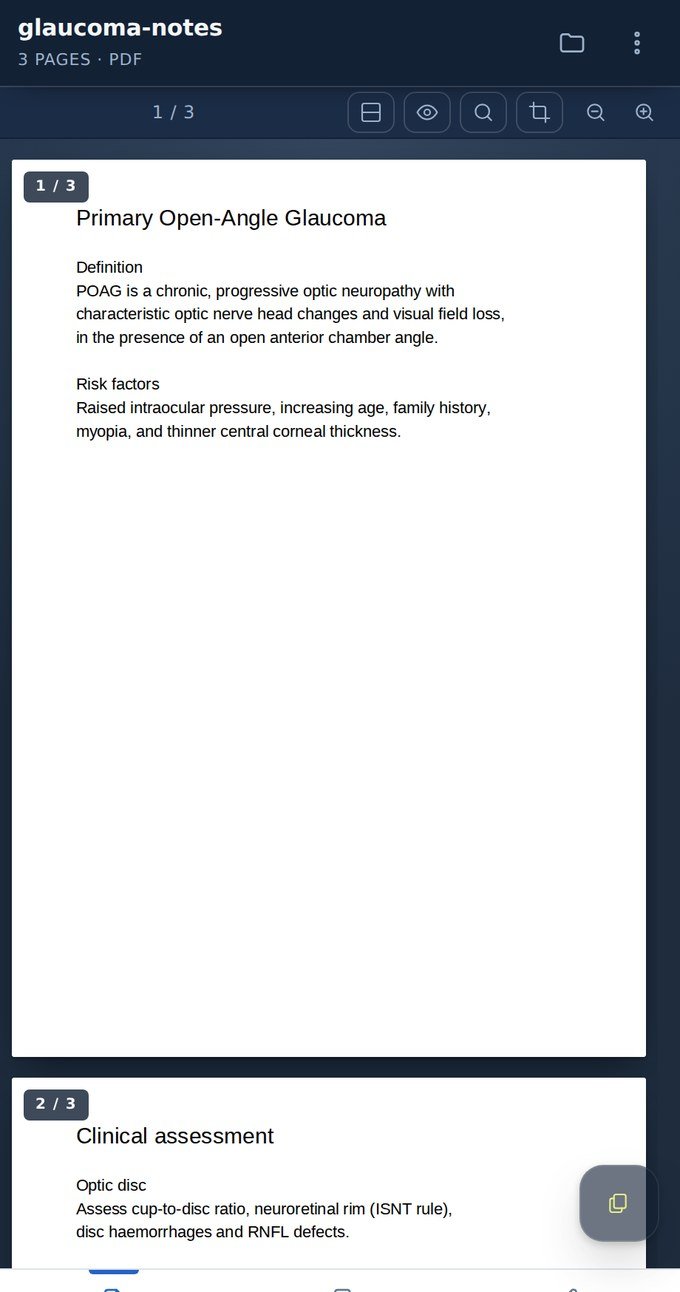
Open any book or PDF
Open a document straight in DocNotes and read it full-screen — with search, zoom and jump-to-page built in.
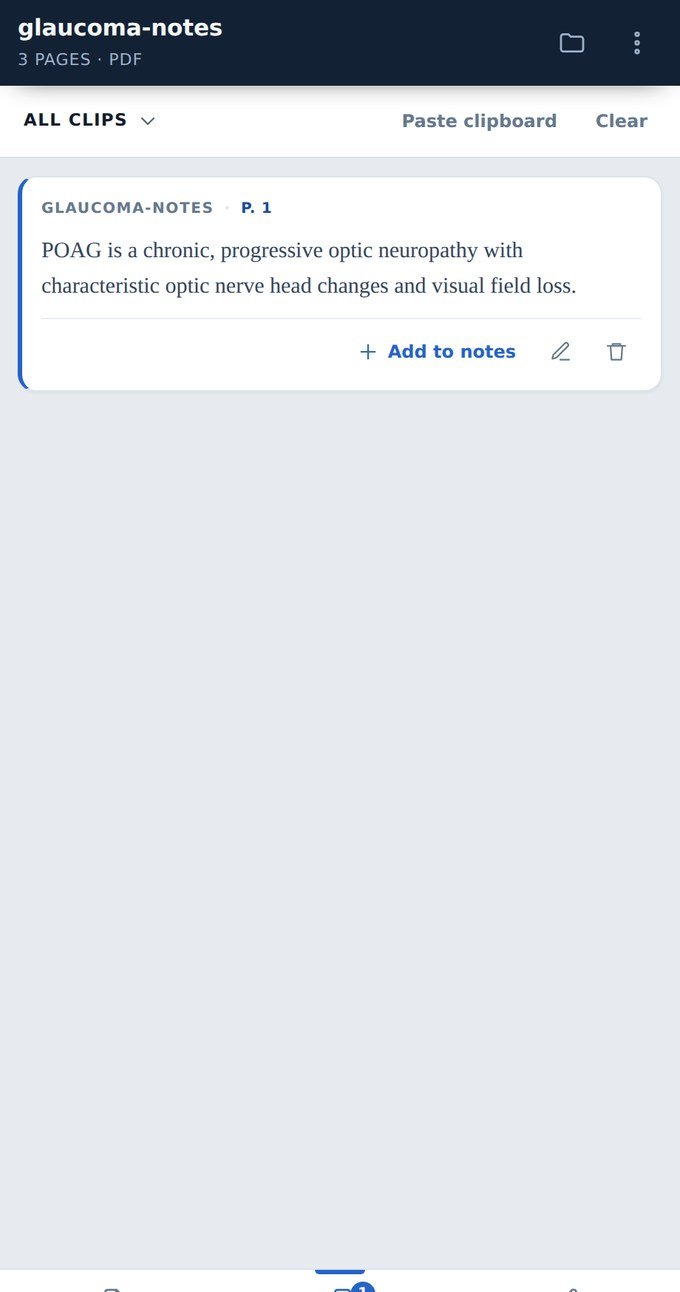
Clip the lines that matter
Tap a passage to capture it as a clip. DocNotes keeps the document name and page number with every quote, so nothing loses its source.
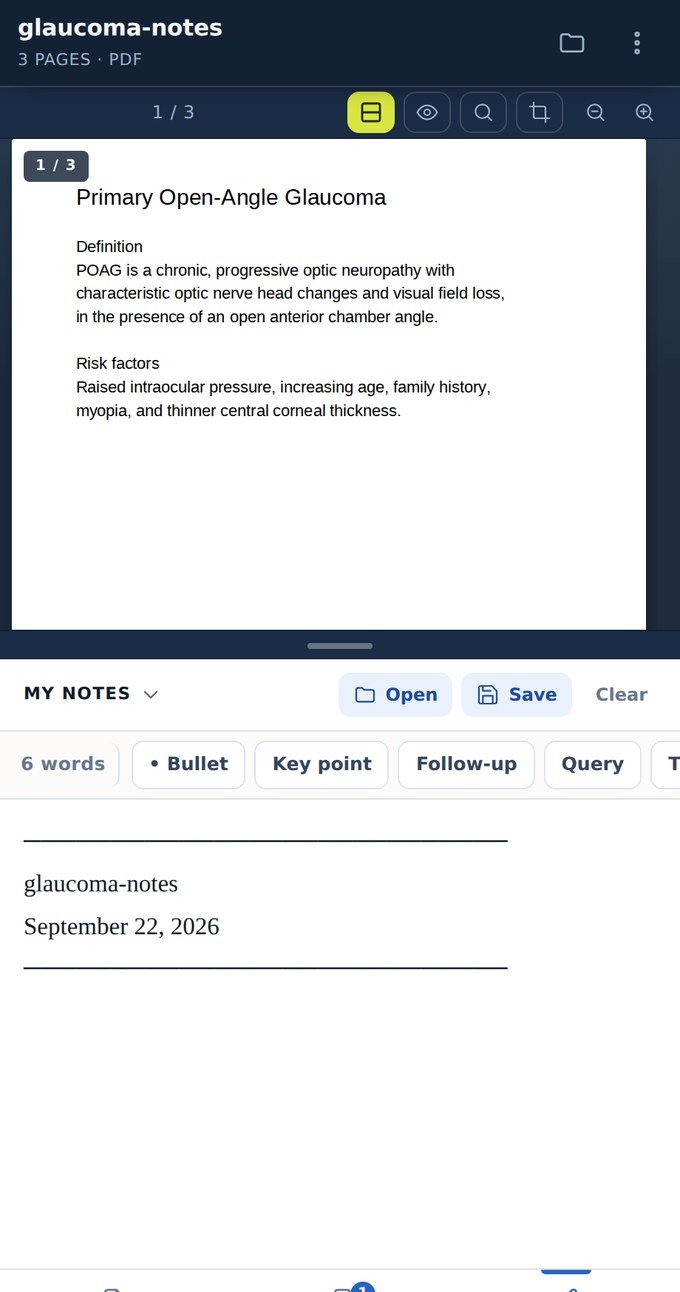
Write beside the page, then export
Build your notes next to the document with bullets and key-point tags, then export to Word to revise, print or share.
Practise OSCE stations the way you’ll be examined
Image-led stations with examiner checklists, timed mock circuits, and a score you can trust — study at your own pace or sit a full mock exam.
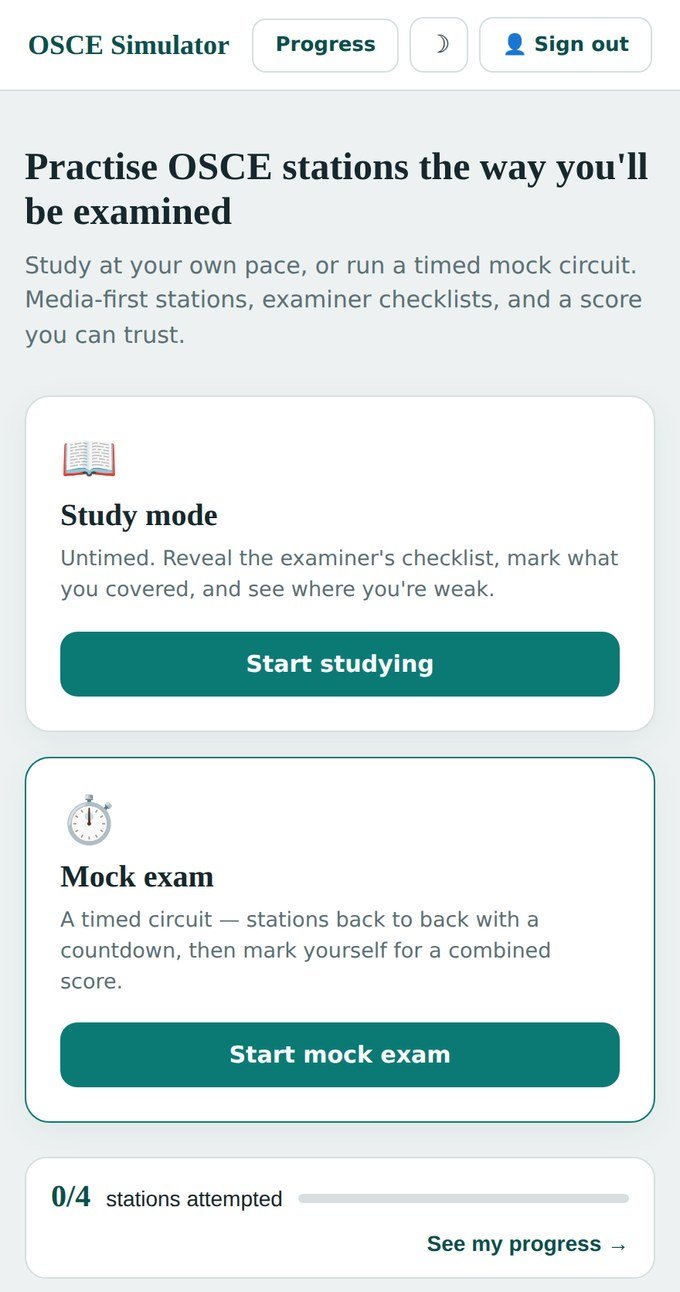
Choose study or a timed mock
Study untimed to learn, or run a timed mock circuit — stations back to back with a countdown, then a combined score.
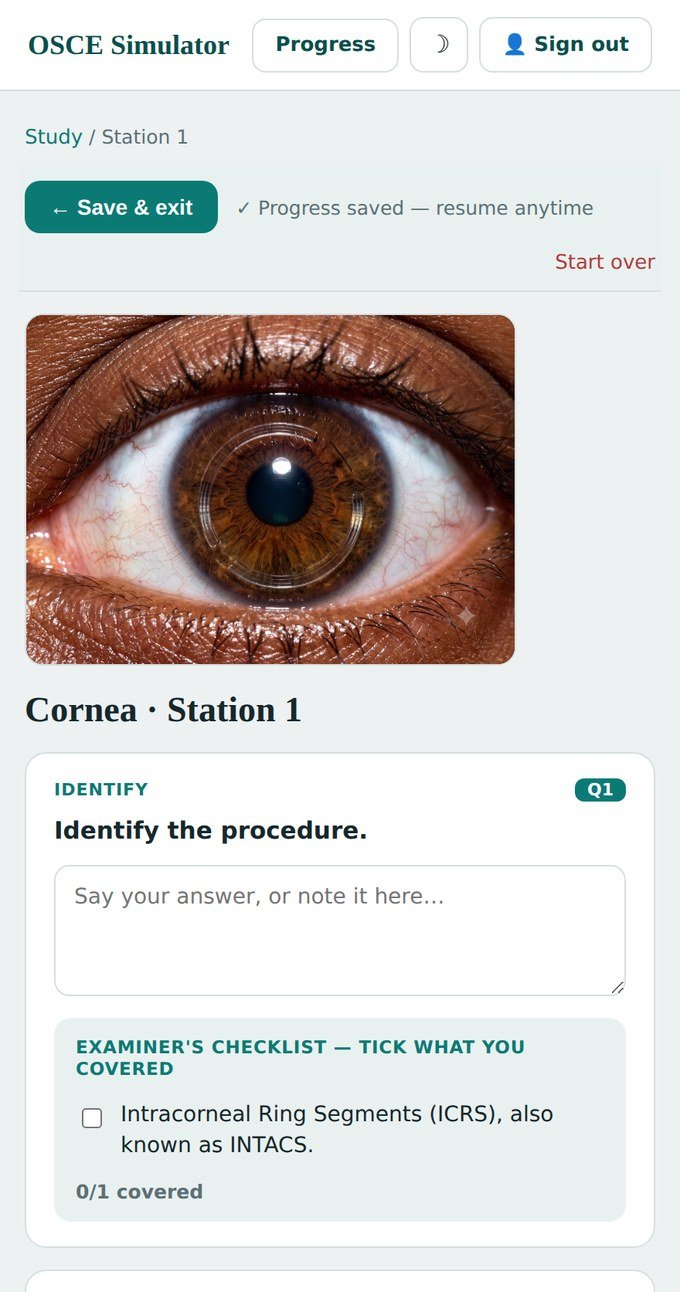
Work the station with the checklist
Each station opens with a clinical image. Give your answer, then reveal the examiner’s checklist and tick what you covered.
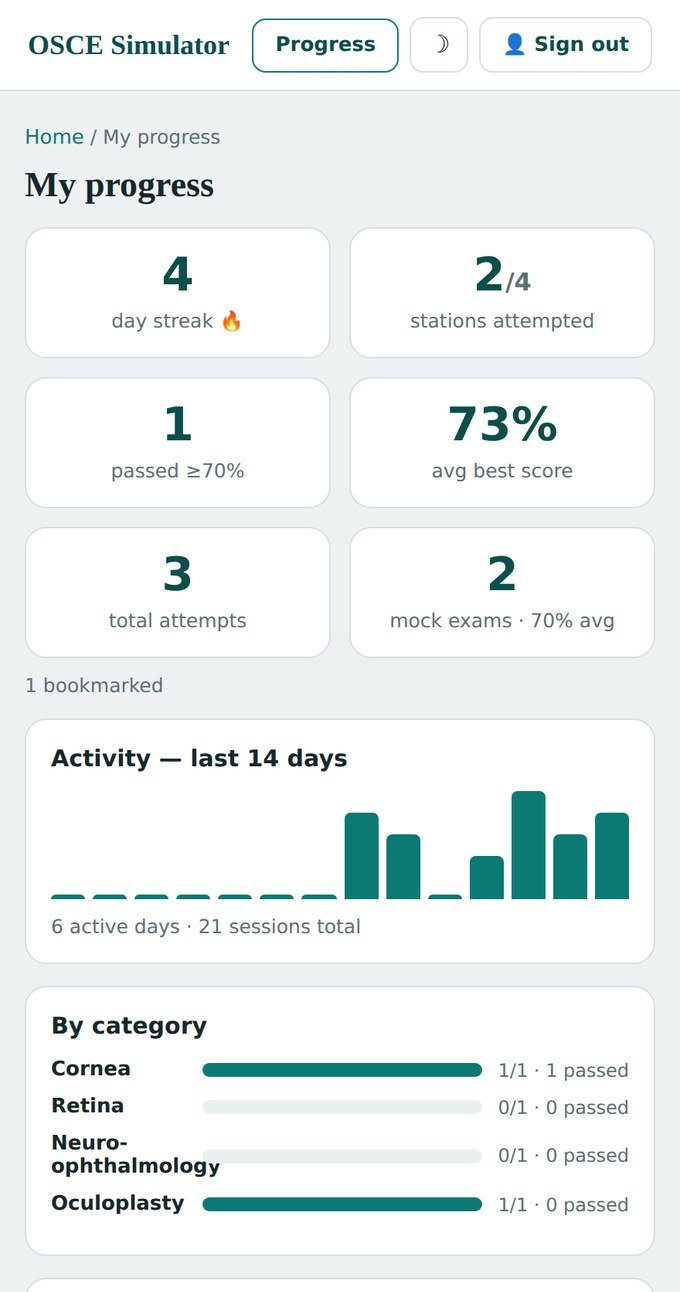
See your scores and weak spots
Track attempts, scores and the skills to focus on next — your progress follows you across phone and laptop.
Build the fundamentals
Anatomy, optics, and clinical basics — with images and OSCE stations to walk into your practicals prepared.
Sharpen for finals
Deep subspecialty question banks, landmark trials, and case simulators for DNB, MS, and FRCS-level vivas.
One subscription, the whole platform
One subscription unlocks every app and resource on iStream Ophthalmology. Start free, upgrade when you're ready.
- The whole platform — apps, images, OSCE & viva
- All 15 specialties, for UG and PG
- Every new resource, included
- Everything in monthly
- Best value for a full exam year
- One payment, no monthly reminders